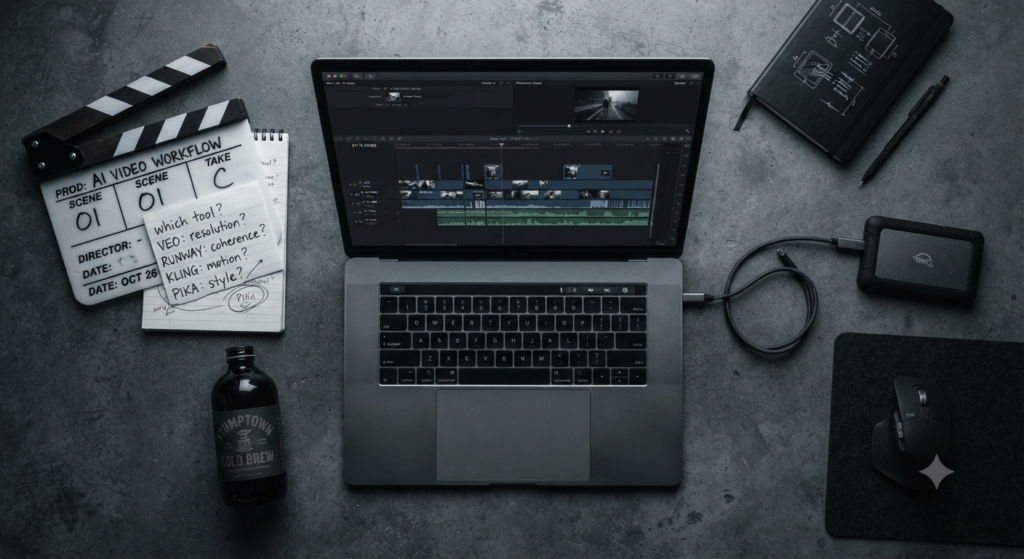
Best AI Video Generators in 2026: Veo 3.1 vs Runway vs Kling vs Pika — Honest Comparison

⚠️ Before You Pick a Tool — The Landscape Has Changed Completely
- Sora is gone. OpenAI discontinued Sora web and app experiences on April 26, 2026. The API shuts down September 24, 2026. Any guide recommending Sora as a current buy is outdated.
- DALL-E comparisons are irrelevant. OpenAI deprecated the DALL-E brand entirely — not applicable to video generation.
- The market has fractured. There is no single best AI video generator in 2026. The right tool depends entirely on your use case.
- Pricing changed dramatically. Options now range from $0.40/second (Veo 3.1 API) to $6.99/month (Kling) to $200/month (ChatGPT Pro for former Sora access).
You need to make a video with AI. You search for the best tool, find a list that recommends Sora, spend 20 minutes trying to access it, and discover it no longer exists as a standalone product. You find another list comparing Runway and Kling but can’t figure out which one applies to your actual use case — social content, product ads, or cinematic clips are three completely different jobs requiring different tools.
This guide cuts through that. Six tools, honest trade-offs, and a clear decision framework at the end so you can pick the right one for what you’re actually making — without paying for capabilities you’ll never use.
📋 What This Comparison Covers
- 🏆 Google Veo 3.1 — cinematic quality + native audio leader
- 🎬 Runway Gen-4.5 — best production workspace for creative control
- 🏃 Kling 3.0 — best for high-motion scenes and long-form clips
- ⚡ Pika 2.5 — best for fast social-native short content
- 👤 HeyGen / Synthesia — avatar and talking-head tools (separate category)
- 📊 Full feature comparison table + clear decision guide
🥇 Google Veo 3.1 — The Cinematic Quality Leader
Google Veo 3.1
Best for: Cinematic clips, 4K output, synchronized native audio, enterprise workflows
Veo 3.1 does something no other mainstream AI video tool currently matches: it generates synchronized audio — ambient sound, dialogue, and sound effects — directly alongside the video in a single pass. You don’t need a separate audio layer or post-processing step. The output is a complete video with scene-appropriate sound from the first generation.
The resolution ceiling is also the highest in the market. Veo 3.1 outputs true 4K at 3840×2160 with up to 60fps. Its “Ingredients to Video” feature accepts up to four reference images and maintains character consistency across scenes — solving one of the most persistent problems in AI video generation. According to eWeek’s 2026 analysis, for teams producing cinematic content where sound design matters and broadcast-quality resolution is required, no other tool competes on both dimensions simultaneously.
The practical limitation: full 4K feature access typically requires a Google AI Ultra-class plan, and the per-second API pricing adds up quickly for high-volume use. Speed can also lag on complex prompts — motion sometimes feels slightly synthetic compared to Runway on specific shot types.
✓ Strengths
- Only tool with synchronized native audio generation
- Highest resolution ceiling — true 4K at 60fps
- Strongest prompt accuracy among cinematic tools
- Ingredients to Video for character consistency
- Enterprise-grade via Google Cloud / Vertex AI
- Native vertical output for social formats
✗ Weaknesses
- Full features need Google AI Ultra subscription
- Per-second API pricing expensive at volume
- Occasional motion stutter on fast-action prompts
- Less intuitive than Runway for creative iteration
- Speed cues sometimes missed (slow vs fast motion)
🎬 Runway Gen-4.5 — The Professional Production Workspace
Runway Gen-4.5
Best for: Ads, client deliverables, camera control, editing and refinement workflows
Runway isn’t just a model — it’s a production environment. Where Veo and Kling give you a generation box, Runway gives you an editor-first platform built for professional iteration. Gen-4.5’s Multi-Motion Brush lets you independently animate up to six different objects within a single frame. Camera path control is explicit and granular: dolly in, crane up, handheld shake — if you know what a camera move is called, Runway lets you specify it precisely.
The artifact reduction in Gen-4.5 is significant. According to Analytics India Magazine, the latest model reduced morphing artifacts by 95% compared to predecessors — which matters enormously for client deliverables where a subtle face shift between frames can kill an otherwise excellent clip. Runway’s reference image and character control also make it the strongest pick for brand consistency across multiple video variations.
The trade-off is the learning curve. Runway is built for people who already understand video production concepts. If you want to type a description and get a good clip, Veo or Kling require less expertise. Credit consumption during iteration can also add up unexpectedly — budget for 5–10× more credits than your final render count when doing exploratory creative work.
✓ Strengths
- Most granular camera and motion control available
- 95% fewer morphing artifacts vs previous versions
- Full editing suite — not just a generation prompt box
- Reference image character consistency for brand work
- Industry standard for Hollywood pre-visualization
- Act Two and Aleph tools for extending real footage
✗ Weaknesses
- Steeper learning curve than consumer-first tools
- Credit costs add up fast during iteration phases
- No native synchronized audio generation
- Max resolution 1080p on standard plans
- Overkill for simple social or blog video needs
“In 2026, there is no single best AI video generator — there is only the right model for the specific brief in front of you.”
🏃 Kling 3.0 — The High-Motion, Long-Form Specialist
Kling 3.0
Best for: Action scenes, physical motion, long-form clips up to 2 minutes
Kling 3.0’s defining advantage is duration. Where most AI video generators cap clips at 10–25 seconds, Kling generates up to two minutes — nearly five times longer than Sora’s maximum. For product walkthroughs, training segments, or extended social content, that length removes the need for manual stitching of separately generated clips, which is where character and scene consistency typically breaks down.
For motion-heavy scenes specifically — action sequences, sports, dance, physical interaction — Kling consistently outperforms the competition. According to Pixflow’s June 2026 benchmark, Kling 3.0 is the strongest riser for photorealistic motion in the market, with human movement that handles physics more accurately than most alternatives. At $6.99/month for Standard, it’s also by far the most affordable serious option.
✓ Strengths
- 2-minute max clip length — longest in the category
- Best-in-class for high-motion and physical action
- Most affordable serious option at $6.99/month
- Photorealistic human character and movement
- Strong image-to-video with character consistency
✗ Weaknesses
- Less editing control than Runway
- No native synchronized audio generation
- Weaker on slow, atmospheric, or cinematic shots
- Interface less polished than Runway or Veo
📱 Pika 2.5 — The Social Content Speed Tool
Pika 2.5
Best for: Short-form social content, Reels, TikTok, fast stylized clips
Pika’s value proposition is speed and social-native format flexibility. For content creators producing high volumes of short-form social clips — Reels, TikTok, YouTube Shorts — Pika 2.5 prioritizes generation speed and feed-native rhythm over cinematic realism. You get something usable faster than Runway or Veo, at the cost of the visual polish that matters for broadcast or high-end ad work.
Pikaformance is Pika’s standout feature: a specialized lip-sync capability for image-to-talking-head workflows. For creators building short social clips from a single reference photo with voice-over, the workflow is significantly simpler than building the same output in Runway. It’s excellent for its specific use case and not intended to compete with Veo on cinematic output.
✓ Strengths
- Fastest generation speed for social-format content
- Pikaformance lip-sync for talking-head workflows
- Simple interface — minimal production knowledge needed
- Strong variety of creative style options
- Good free tier for experimentation
✗ Weaknesses
- Visual quality below Veo, Runway, and Kling
- Not suitable for cinematic or broadcast work
- Limited camera control and editing features
- Short clip lengths only
⚠️ A NOTE ON AVATAR TOOLS
HeyGen and Synthesia are frequently compared alongside Runway and Veo, but they’re solving a fundamentally different problem. They’re avatar-first corporate video tools — excellent for training modules, localization, and talking-head marketing content. They shouldn’t be evaluated against cinematic generators on visual quality, and cinematic generators shouldn’t be used for the presenter-video workflows where HeyGen and Synthesia excel. Know which category you need before choosing.
📊 Full Feature Comparison: All Tools Side-by-Side
| Tool | Best Use Case | Max Resolution | Max Length | Native Audio | Starting Price | Skill Level |
|---|---|---|---|---|---|---|
| Veo 3.1 CINEMATIC | Cinematic scenes, 4K, broadcast | 4K 60fps | ~30s | ✅ Synchronized | $0.40/s API | Medium |
| Runway Gen-4.5 PRO | Ads, client work, editing control | 1080p | ~16s | Manual layer | $15/month | Medium–High |
| Kling 3.0 MOTION | Action, long-form, physical motion | 1080p | 2 minutes | Manual layer | $6.99/month | Low–Medium |
| Pika 2.5 | Social clips, TikTok, Reels | 1080p | ~10s | Lip-sync only | ~$10/month | Low |
| HeyGen | Talking head, localization, training | 1080p | Long-form | ✅ Avatar voice | $29/month | Low |
| Synthesia | Corporate training, avatar video | 1080p | Long-form | ✅ Avatar voice | $22/month | Low |
| Sora DISCONTINUED | Web app: April 26, 2026 · API: Sept 24, 2026 | — | — | — | Do not start new projects | — |
🗺️ Which Tool Is Right for You?
Match Your Use Case to the Right Tool
The post-Sora reality: According to PixVerse’s July 2026 testing of 50+ AI video models, most tools still fail in predictable places — hands, fast movement, face continuity between cuts, and audio-video sync. Plan post-processing time for close-ups and high-speed motion regardless of which tool you choose. The best AI video generator is the one that fails least for your specific brief.
❓ Frequently Asked Questions
Is Sora completely gone in 2026?
The Sora web and app experience ended April 26, 2026. The Sora API is scheduled to shut down September 24, 2026. OpenAI has not announced a direct replacement product. If you were using Sora through ChatGPT Plus, that specific integration is no longer available. Do not start new production projects on Sora — migrate to Runway, Veo 3.1, or Kling 3.0 depending on your use case.
Which AI video generator is best for YouTube content creators in 2026?
Depends on your content type. For talking-head channels using an AI avatar, HeyGen or Synthesia. For B-roll and cinematic supplementary footage, Runway Gen-4.5 or Kling 3.0. For short-form YouTube Shorts content, Pika 2.5. For highest quality cinematic scenes in documentaries or premium content, Google Veo 3.1 — though the per-second API pricing makes it expensive for high-volume use.
Can AI video generators be used for commercial projects in 2026?
Generally yes on paid tiers, with caveats. Runway, Veo, Kling, and Pika all permit commercial use on paid plans — but watermark restrictions, maximum export quality, and specific commercial rights vary by plan tier. Free tiers typically restrict commercial use or add watermarks. Always read the current Terms of Service before billing a client for AI-generated video content, as policies change frequently. For brand-safe commercial work with the clearest licensing lineage, Adobe Firefly’s video features are worth evaluating alongside these options.
How long does it take to generate a video clip with AI in 2026?
Generation times vary significantly by tool and plan tier. Pika is fastest — short social clips generate in under 30 seconds on paid plans. Runway Gen-4.5 typically takes 1–3 minutes for a standard clip. Veo 3.1 at 4K can take 3–8 minutes per clip depending on queue load. Kling 3.0 for longer clips takes proportionally more time. All these tools run in the cloud — your local hardware doesn’t affect speed. Queue times during peak hours can add significant latency on lower-tier plans.
Do AI video generators handle human faces and hands well in 2026?
Better than in 2024, but still imperfect. Kling 3.0 leads on human movement and photorealistic physical interaction. Veo 3.1 handles faces well in medium shots but can drift in close-ups. Hands and fast finger movement remain the weakest point across all current tools. Runway Gen-4.5 has the most reliable face consistency across cuts due to its reference image system. Plan a human review pass for any clip featuring close-up faces or complex hand movements before including it in client work.